
Spotting a fake OnlyFans page starts with one simple habit: slow down before you follow. Free and paid pages both attract clones because the platform has no built-in discovery feed or directory, so most people arrive through links posted elsewhere. That gap is exactly why ranking sites exist, and it is also why scammers can copy a popular profile’s look and wait for traffic. This guide covers the signals that separate a genuine creator page from a fake, using only verifiable cues.

A genuine page is not defined by how many followers it has or how often it posts. It is defined by consistency between what the profile claims and what you can confirm elsewhere. The checks below are simple, they take a few minutes, and they apply whether the page is free or paid.
Why fake OnlyFans pages exist
Fake pages exist because the platform routes money through direct messages and tips, not through an ad network. A clone does not need to produce anything original. It only needs to look convincing long enough for a few people to send a payment or click an outside link.
A practical warning: if a profile asks you to move the conversation to another app before you have confirmed the account is genuine, treat that as a stop signal rather than a next step.
The motivations behind these pages are narrow and repetitive. Knowing them makes the pattern easier to recognise.
- Collecting pay-per-view payments for media the account does not own.
- Redirecting followers to a paid site that has no connection to any creator.
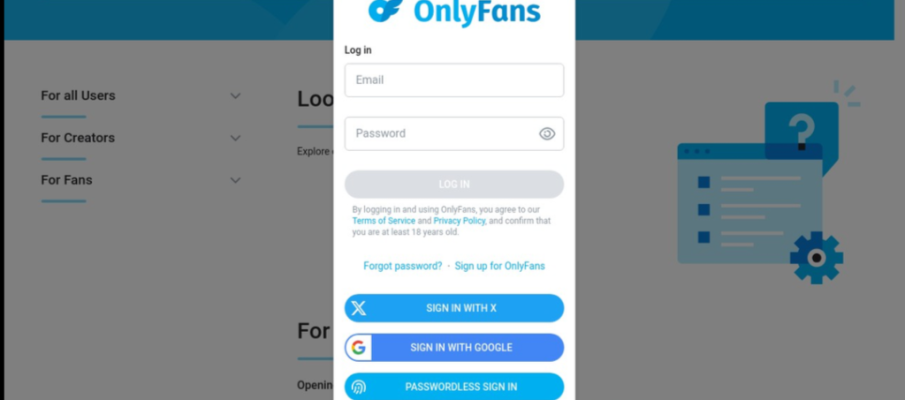
- Harvesting login details through a lookalike sign-in page.
- Building a follower count that is later sold or repurposed for another scam.
- Impersonating a known name to borrow its existing reputation.
Each of these targets the same thing: a decision made quickly. The rest of this article slows that decision down with checks you can run in order.

Profile signals that matter
Start with the profile itself rather than the media. A real page usually shows a coherent identity across its name, bio, links, and posting history. A fake often gets one of these right and neglects the others.
Two-step authentication on your own account will not verify someone else, but it does protect you while you investigate. Turn it on before you follow anyone new.
- Check whether the display name, handle, and bio describe the same person in the same tone.
- Look for a consistent external link, and confirm it points to the same name you are viewing.
- Read the bio for specific detail rather than generic phrases copied from other profiles.
- See whether the account answers comments in a way that matches its stated identity.
- Confirm the join date is plausible relative to the follower count shown.
A single mismatch is not proof of anything. Three mismatches in the same profile usually are.

Photo and media red flags
Recycled images are the most common tell on a cloned page. Reverse image search still works on most profile pictures and on any media posted publicly. If the same photo appears under several different names, the page is not the original source.
Media quality also matters. A page that mixes high-resolution uploads with heavily compressed copies is often reposting from several sources rather than publishing its own work. Pay attention to whether the posting style stays the same over time.
Price is another signal, and it is worth knowing the real numbers before you judge one. Paid subscriptions range from $4.99 at the minimum to $49.99 at the maximum. Typical paid pages sit between $4.99 and $15, and most average $5 to $10. There is no base price below $4.99, though promotional first months may dip below that figure.
- Free page: price set to $0, with earnings from pay-per-view messages and tips.
- Entry paid page: $4.99 to $9.99 per month, the most common bracket.
- Mid paid page: $10 to $15 per month, often with a larger back catalogue.
- Upper paid page: up to $49.99 per month, usually a long-established account.
- Platform fee: 20% on subscriptions, tips, and pay-per-view, so the creator keeps 80%.
One number is worth remembering when a page pressures you. If a creator raises the subscription price, auto-renew stops, and existing access lasts until the current paid period ends. No genuine page needs to rush you past that rule.

Join date and activity mismatch
Account age, post volume, and follower count move together on a real page. They rarely move together on a fake one. A page created last month with thousands of followers and almost no posts is describing a history it does not have.
| Signal | Genuine pattern | Fake pattern |
|---|---|---|
| Account age | Months or years of steady activity | Days or weeks old |
| Post volume | Grows gradually over time | Burst of uploads, then silence |
| Follower ratio | Followers roughly track post history | Large following with little history |
| Engagement | Replies match the account’s own voice | Generic replies or none at all |
Read the table as a set of tendencies, not rules. A new creator starting today is genuinely new, and that alone is not a red flag. The flag is a new account that claims an old, well-known presence. For a starting point, best onlyfans artists collects free pages.

Cross-platform verification
The strongest check is finding the same creator somewhere else and comparing the two. A real page usually links to at least one other place where the same name, style, and posting rhythm appear.
Because the platform has no discovery feed, creators rely on outside pages to be found. Curated directories such as best onlyfans artists exist for that reason, and they are useful for checking whether a name appears consistently across several sources rather than only in one link.
- Following a link from a message without checking the destination.
- Trusting a screenshot of a profile instead of the profile itself.
- Assuming a verification badge on another platform transfers here.
- Ignoring a name that differs by one letter or symbol from the original.
Comparison works best when you check two or three places and look for overlap. If nothing overlaps, the page has no track record to verify.

Report and exit steps
Once you are confident a page is fake, the useful actions are short. Report the account through the platform’s own reporting flow, then remove it from your following list so it stops appearing in your feed.
If you sent a payment, stop any further payments and check whether auto-renew is active. The platform fee is 20% on everything, and the creator keeps 80%, so a small payment is still a real loss when it goes to the wrong account. Document what you saw before the page changes or disappears.
Finally, tell the person being impersonated if you can identify them. Their report carries more weight than yours and helps remove the clone faster.
Comparison snapshot
This table condenses the traits covered above into a single side-by-side view. Use it as a quick check rather than a replacement for the individual steps.
| Trait | Genuine page | Fake page |
|---|---|---|
| Identity | Same name, bio, and links everywhere | Inconsistent name or copied bio |
| Media | Original uploads, steady style | Recycled or mixed-quality images |
| Pricing | $4.99 to $49.99, mostly $5 to $10 | Urgent offers or off-platform payments |
| History | Join date matches post volume | New account, large claimed following |
| Contact | Stays on platform until trust is built | Pushes to another app immediately |
Nothing in this table requires special tools. It requires reading the profile instead of skimming it.
Staying cautious long term
Fake pages are not a one-time problem, so the habits matter more than any single check. BestOnlyFans and similar directories help by listing pages that have been reviewed, but no list removes the need to look at a profile yourself.
Keep your own account protected and keep your payment details inside the platform. If a page asks for anything else, that request is the answer to whether it is genuine.
- Verify a page before following, not after sending a message.
- Recheck a profile if its posting style suddenly changes.
- Keep payments on-platform and never share login details.
- Use two-step authentication on your own account at all times.
- Compare new names against a directory before trusting them.
BestOnlyFans reviews are a starting point, not a guarantee, and the same is true of any ranking site. A few minutes of checking is the only reliable method, and it is the one that keeps working as the platform grows. BestOnlyFans refreshes its rankings every month.
FAQ
Is a free page automatically fake?
No. A free page simply has its price set to $0 and earns through pay-per-view messages and tips, which is a normal setup.
Can a real page have very few followers?
Yes. New creators start small, and a low follower count on its own is not evidence of anything.
What should I do if I already paid a fake page?
Stop any further payments, check whether auto-renew is active, and report the account through the platform’s reporting flow.
Does a higher subscription price mean a page is safer?
No. Paid subscriptions run from $4.99 to $49.99, and price reflects positioning rather than authenticity.